What’s new in the latest security update for the iPhone, and how to repair it?

Every user of the iPhone knows the buzz around an iPhone security update. None of these new products are released just to pack better features into our devices but, rather, to enhance the security of our devices. Well, with this new update, that doesn’t really change much from the tradition—until now, in ways that should really matter to your privacy and data security. New with the latest iPhone update Security? The latest iPhone Update Security now zero in on security loopholes that cybercriminals may take advantage of. From simple bug fixes to massive overhauls of the system, these updates can be all-encompassing and may increase the security and stability of your iPhone. This is actually a very proactive method on the side of Apple and the security of their users. Key Improvements in the New iPhone 16 Update Improvements in the iPhone 16 Update further fortify the protection of the device against threats by including advanced encryption methods for the protection of data and improved settings for app permissions. Such updates are guarantors of the user’s personal information confidentiality and security against unauthorized access. How to Correctly Download and Install the Newest Update of iOS for Your iPhone You can easily install the latest update for iPhone by going to ‘Settings,’ ‘General,’ and then ‘Software Update.’ If an update is available, you will get an option to ‘Download and Install.’ Make sure your iPhone is connected to a decent Wi-Fi network and it’s on battery power, or, alternatively, plugged into a power socket, to avoid any hiccups during updating. Fixing Common Issues After the iPhone 15 Update A handful of users have reported minor issues since they iPhone 15 Update. For instance, it came with smaller battery life and app performance that is super slow. Normally, you can fix this problem by restarting your device or updating all of your apps to the most current versions available. Should the problem persist, resetting your settings or contacting Apple Support is the way to go. Exploring the Human Features of the Latest Apple Software Update Besides, the new Apple Sortware update brings out many more user-friendly enhancements and new features. This might be anything, ranging from new sets of emojis to better face recognition for different faces, or more intuitive adjustments in the interface. All these features are designed to enhance usability and will make the iPhone remain top-notch in overall experience. Continuous Protection: Updates, Best Practices Just to keep your iPhone as secure as possible, make sure to use the newest released software. Go to ‘Settings,’ then ‘General,’ and click on ‘Software Update.’ Also, be sure to ‘turn on’ Automatic Updates, to make it so your device doesn’t miss any of the newest protections released. Furthermore, always be cautious about the downloaded apps and the links you follow since, for some reason or another, they may represent potential sources of malware or other security risks. Why iPhone Security Needs Updates In a nutshell, it can never be overemphasized: the importance of a security update for iPhones. With each latest update, not only does it keep adding to your iPhone’s value, but it is absolutely monumental in protecting your digital life from increasingly advanced cyber threats. Staying knowledgeable and updating your device on time will protect your personal information and ensure that your iPhone is working at the best possible level.
How to Fix iPhone Problems During Software Installation

Facing iPhone problems while proceeding with the updates is so painful; if not an iPhone software update failure, it’s another kind of iPhone’s latest update issue. All these need to be fixed to enjoy the seamless performance of your device. This detailed guide was created to walk you through Common Apple Software Update problems and at the same time offer ways in which your iPhone can run smoothly. Preparing Your iPhone for a Software Update Before moving ahead with the process of update, it has to be made sure that the iPhone is prepared and readied for the same. This is the very important first step to prevent you from experiencing iPhone Software Problems. Be sure that the phone is charged, the iPhone has sufficient space, and it should be connected to a stable Wi-Fi network in order not to hamper downloading and installation. Identifying Common iPhone Software Update Failures Understanding these usual scenarios in the event of an iPhone Software Update failure, therefore, becomes important. Among the most common problems is the failure to download the update, mostly arising due to network problems or even Apple’s server overload, especially just after a new update has been released. How to Solve iPhone Latest Update Problems Another surprise help for iPhone’s latest update problems is to simply restart your device. A fresh restart can clear your memory on the iPhone, possibly healing from any minor glitches that may be inhibiting the software installation. Troubleshooting Apple Software Update Problems In the event of further trouble while attempting to use the Apple Software Update Problems, try updating through iTunes or Finder on your Mac. In essence, this other way of updating might avoid some of the problems with the over-the-air updates and hence give a better way of incrementing your iPhone’s operating system. Managing Storage to Avoid iPhone Software Problems The most basic predicament of this kind of predicament is that it will entail new files that the available storage might not be able to hold. Due to that fact, it may run into software problems on the iPhone. Before trying to update by taking up space, get rid of apps and media you no longer use or offload information to iCloud or another storage service. Ensuring Connectivity to Solve iPhone Software Update Failure You have to ensure that your internet connection is stable, otherwise, the iPhone software update will fail. In any instance of problems, you can conveniently reset your network settings; this should most probably fix the connectivity issues that may be hindering your ability to download and install the latest software for your iPhone. Seeking Professional Help for Apple Software Update Problems If you have tried all of the above and yet experiencing the issue on your iPhone, then it’s high time you must get in touch with an Apple Support professional. He can provide advanced troubleshooting steps and hardware services to repair your device if necessary. Preventing Future iPhone Software Update Failures It is to avoid failure for the next iPhone software update; a human being needs to have a backup of the device at regular intervals and maintenance. Small issue alerts also needed to be attended to promptly so that, once a software update is being done, they don’t become a big problem.
iPhone Problems: Why Your Charger May Not Be Working and What to Do
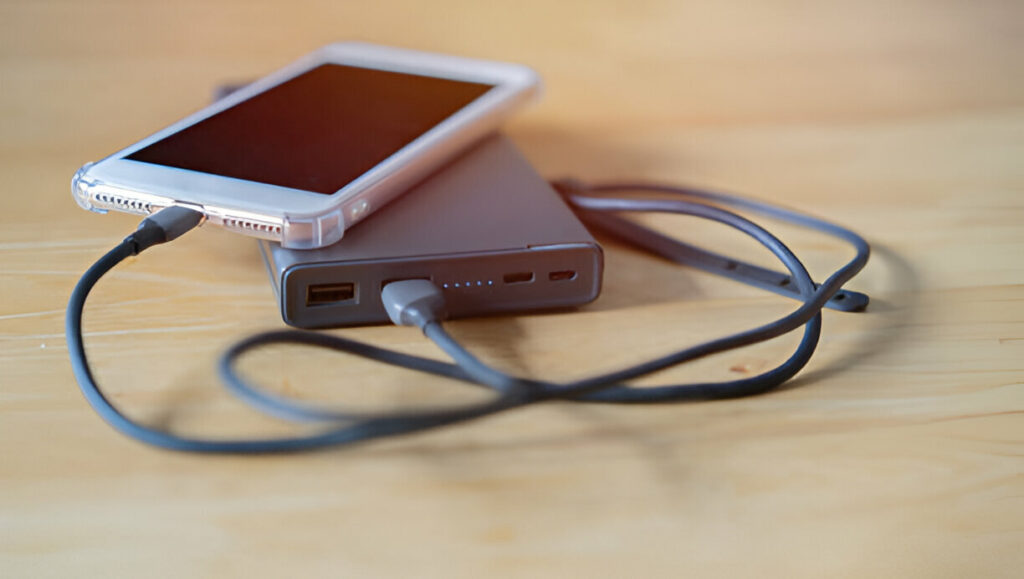
These are common iPhone problems that people go through in iPhone charging; therefore, they can lead to your daily routine being disrupted. Knowing such common faults like iPhone charging port problems and employing the remedies as presented above in this article will enable you to empower the charging of your iPhone and hence its lifespan. Heading: iPhone Charger Are you suffering from charging woes on your iPhone? Issues such as damaged charging ports, slow charging, and others will be most likely found in our detailed guide on how to fix them, so that your phone can get all the juice it deserves. Packing Common iPhone Charging Problems IPhone charging problems can be of different origins, starting from a broken charging port and ending with the wrong charger. In this piece, we focus on the common culprits that might bar your iPhone from charging and the practicable solutions on how you can sort them out. Understanding iPhone Charging Port Problems If your iPhone Charging Port problems, then the first place to check is the charging port of your iPhone. At times, debris or damage to the port can stop the charger from establishing good contact with it either by failing to charge properly or by charging off and on. How to Spot and Fix iPhone Charging Port Damage Fix iPhone Charging Port Damage If there is any problem in the charging port of your iPhone, then it may be that at times, a charger may not properly fit into it or sometimes your phone might not respond to a charger. If the charging port of your iPhone is not working well, use a very tiny non-metallic device to clean out all the lint, dust, or debris from it. If the damage is serious, it is advisable to contact professional repair personnel in order to avoid further problems. Slow Charging: Another Angle on iPhone Charging Problems In the process of preventing global my iPhone Charging Slow could be as problematic as my iPhone not charging at all. It might come about as a result of use of a non-original charger, use of outdated software, and background apps that overuse the power. Be sure to use an Apple-certified charger, then update the iPhone to the latest iOS version. Fix your iPhone’s charging port problem on your own Some of the issues that the iPhone could be having, like a minor problem with the charging port, should be fixed at home. Just ensure that the port is clean and try adjusting the charging cable or even trying a different power source. If it persists, a keen examination by a professional might be needed. So, when do you need to seek professional help to replace your iPhone charging port? If all your efforts at cleaning and troubleshooting to fix the problem with your iPhone charging port prove completely fruitless, then it just might be time for you to human up and seek professional help. Certified technicians can provide comprehensive checkup services and also perform the required repairs without causing further damage to your iPhone. Preventative Measures: Avoiding Possible Future iPhone Charging Problems Therefore, for the future, use only Apple-certified charging accessories, and keep the charging port clean. Don’t charge your iPhone in dusty or moist environments. Just be sure to keep your iPhone updated with the latest software so that you never have to face any charging problem from software.
iPhone problems Connectivity : Wi-Fi, Bluetooth, and how to fix them

When it comes to iPhone problems, few things are as frustrating as connectivity issues. Whether it’s unreliable Wi-Fi connections, persistent iPhone Bluetooth problems, or unexpected disruptions, these issues can significantly impact your user experience. In this detailed guide, we’ll explore the common connectivity problems iPhone users face, including iPhone Wi-Fi issues and iPhone Bluetooth connection issues, and provide practical solutions to get your device back in perfect working order. Identifying iPhone Wi-Fi Issues One common iPhone problem many users encounter is a faulty Wi-Fi connection. Whether your iPhone fails to connect to Wi-Fi or the connection drops frequently, the first step is to ensure the problem isn’t with the router or network itself. Check other devices in your home to see if they’re also experiencing connectivity issues. If it’s just your iPhone, you might be dealing with an iPhone Wi-Fi issue that needs specific attention. Troubleshooting iPhone Bluetooth Connection Issues iPhone Bluetooth problems often manifest as failed pairings or intermittent connectivity with devices like earphones, car systems, or fitness trackers. A good starting point is to check if your iPhone is up to date. An iPhone Bluetooth update can resolve many of these issues by fixing bugs or compatibility problems in previous software versions. Updating Your iPhone: Solving Bluetooth and Wi-Fi Problems Sometimes, a simple software update is all it takes to resolve iPhone problems. For issues related to iPhone Wi-Fi issues and iPhone Bluetooth problems, ensuring your device’s operating system is up-to-date is crucial. Go to Settings > General > Software Update and download the latest iOS version, which often includes fixes for connectivity bugs. Resetting Network Settings to Fix iPhone Connectivity If updates don’t resolve the issue, consider resetting your network settings. This action will erase all current network settings, including saved Wi-Fi networks and Bluetooth connections, which can help eliminate underlying issues causing iPhone Wi-Fi issues and iPhone Bluetooth connection issues. Dealing with Persistent iPhone Bluetooth Connection Issues If you’ve updated your iPhone and reset network settings but still face iPhone Bluetooth connection issues, try forgetting the device you’re trying to connect to. Go to Settings > Bluetooth, find the device, tap on the “i” icon next to it, and select “Forget This Device.” Re-pair the device to see if this resolves the issue. Ensuring iPhone Mail and Connectivity Work Hand-in-Hand For users experiencing iPhone mail not working issues in tandem with connectivity problems, it’s vital to check both Wi-Fi and data connections. A stable connection is crucial for apps like Mail to function correctly, so resolving any iPhone Wi-Fi issue or data connectivity problem can help restore your Mail app’s functionality. Advanced Solutions for iPhone Connectivity Issues If basic troubleshooting doesn’t work, it might be time to delve deeper. Use tools like Apple’s Wireless Diagnostics on your Mac to gather more information about your Wi-Fi network. For Bluetooth, resetting all settings on your iPhone can sometimes clear persistent iPhone Bluetooth problems that simpler steps don’t fix. Conclusion: Stay Connected with Confidence By following these steps, you should be able to resolve most iPhone connectivity issues, whether they relate to Wi-Fi or Bluetooth. Remember, keeping your device updated and occasionally resetting your network settings can prevent many common issues from occurring in the first place.
10 Common iPhone Problems and How to Fix Them

Owning an iPhone comes with its set of challenges, despite its advanced technology and user-friendly design. In this post, we’ll dive into ten frequent iPhone Problems, including some notorious ones like the iPhone White Screen of Death and the dreaded Water Damaged iPhone. By understanding these problems and knowing the quick fixes, you can ensure your device runs smoothly. iPhone White Screen of Death The iPhone White Screen of Death is a startling problem where your iPhone’s screen turns completely white and becomes unresponsive. This issue often stems from a hardware failure or a severe software crash. To fix this, try a hard reset by pressing and holding the power and volume down buttons for about 10 seconds until you see the Apple logo. If this doesn’t work, connect your iPhone to iTunes and attempt a restore, which can help resolve deeper software issues. Water Damaged iPhone If you’re dealing with a Water Damaged iPhone, immediate action is crucial. First, turn off your iPhone to prevent short circuits. Remove any case and eject the SIM card tray to open up air paths. Avoid using a hair dryer as it can push water further inside; instead, leave your iPhone in a dry, ventilated place. If your iPhone doesn’t turn back on after a few days or shows erratic behaviour, it’s best to visit an Apple Store or a professional repair service. iPhone Battery Problems iPhone Battery Problems can be a major annoyance. To tackle this, start by checking which apps consume the most battery by going to Settings > Battery. You can also enable Low Power Mode to quickly reduce background activity and screen brightness. For a more permanent solution, consider replacing your battery if your iPhone is older, as battery capacity diminishes over time. iPhone Black Screen An iPhone’s Black Screen can often be just as perplexing as any display issue. This problem may occur due to software malfunctions or hardware faults. A hard reset is a good first step to resolve this; simply press and hold both the power and volume down buttons until the Apple logo appears. If the screen remains black, connect your iPhone to iTunes and try restoring it. Overheating iPhone An Overheating iPhone not only reduces performance but can also damage the device if not addressed. Avoid using your iPhone in extreme temperatures and limit the use of high-power apps for prolonged periods. Updating your iOS to the latest version can also prevent the iPhone from overheating by fixing software bugs that may be causing the issue. Unresponsive Touch Screen Sometimes your iPhone’s screen may not respond to your touch. This can be due to a faulty screen protector or a software glitch. To resolve this, remove any screen protector or case first and clean the screen. Restart your iPhone to clear any temporary software issues that might be affecting the touch sensitivity. Frequent App Crashes Frequent App Crashes can disrupt the smooth operation of your iPhone. To fix app crashes, start by updating the problematic app or reinstalling it. If crashes persist, reset all settings by going to Settings > General > Reset > Reset All Settings. This won’t delete your data but can fix issues caused by incorrect settings. Camera Issues Camera functionality is crucial for any smartphone user. If your iPhone’s camera starts acting up, try a simple restart first. If the problem persists, check for obstructions or dirt on the camera lens. Updating your iOS can also resolve software-related camera issues, ensuring your camera operates smoothly. Connectivity Problems Connectivity problems with WiFi or Bluetooth can be particularly frustrating. To fix these, toggle your WiFi or Bluetooth settings off and on. If that doesn’t work, try forgetting the network or device and reconnecting. A network settings reset may also be necessary if connectivity issues continue. No Sound on the iPhone Finally, a common but annoying issue is when your iPhone suddenly stops producing sound. Check the mute switch and adjust the volume buttons. If there’s still no sound, head to Settings > Sounds and drag the slider to adjust the ringer and alerts. If none of these steps work, a software update or reset might be needed to get your audio back on track.
5 Biggest iPhone Problems & Their Solutions in 2024

While iPhone problems in 2024 range from update issues to security concerns, the solutions are at your fingertips. Addressing these common issues not only enhances your experience but also extends the lifespan of your device. Remember, most problems have straightforward fixes, and for those that don’t, Apple Support is just a few taps away. iPhone Problems After Update: Navigating Through Glitches iPhone problems after an update can disrupt your daily routine. Users often report sluggish performance, battery drain, or app crashes following an iOS update. The first step in tackling these issues is to perform a soft reset, which can resolve minor glitches by rebooting the system without erasing data. If problems persist, check for additional updates that Apple may release to fix the bugs identified in the initial update. Apple iPhone Not Charging: Solving the Power Dilemma The issue of an Apple iPhone not charging can be particularly vexing. Before you panic, ensure that the problem isn’t with the charging cable or adapter by testing them with another device. If your iPhone still won’t charge, inspect the charging port for any debris that might be obstructing the connection. Cleaning it gently with a toothpick or small brush can sometimes get you back to powering up efficiently. Apple Security Problem: Enhancing Protection An Apple security problem can jeopardize your personal data, making it a significant concern. To safeguard your iPhone, always keep your operating system updated with the latest security patches. Enable two-factor authentication (2FA) for an added layer of security and be cautious about the apps you download, ensuring they are from trusted developers. iPhone Storage Issues: Freeing Up Space iPhone storage issues often plague users, particularly when it comes to updates or downloading new apps. To tackle this, start by reviewing what’s consuming your storage. Go to Settings > General > iPhone Storage to get a detailed breakdown. Offload unused apps and clear cache data where possible. Additionally, consider using cloud services like iCloud to store photos and videos, thus freeing up local space. Apple iPhone Overheating: Cooling Down Your Device The problem of an Apple iPhone overheating can be alarming. To prevent this, avoid using your iPhone in extreme temperatures and limit the use of resource-heavy applications for prolonged periods. If your device heats up unusually, remove the case to help it cool down faster and ensure there’s adequate ventilation. Mastering Battery Health: Prolonging Your iPhone’s Life iPhone problems can often be traced back to battery health. To maintain optimum battery performance, avoid exposing your iPhone to extreme cold or heat, which can degrade battery capacity. Also, consider toggling the battery health management features in Settings to manage charging levels and optimize battery lifespan. Navigating iOS Features: Getting the Most Out of Your iPhone Navigating new iOS features after an update can also present a challenge. Take the time to explore the latest features by reviewing the ‘Tips’ app on your iPhone or visiting Apple’s official website. This can help you make the most of your device’s capabilities and enhance your user experience. Tackling Connectivity Issues: Staying Connected Lastly, iPhone problems related to connectivity, such as issues with WiFi or Bluetooth, can be frustrating. Resetting your network settings is a common solution. Go to Settings > General > Reset > Reset Network Settings. Note that this will erase all saved WiFi passwords and paired Bluetooth devices, so make sure to have those credentials handy before proceeding.
Fix It Like a Pro: A Visual Guide to Samsung Cell Phone Repair

Samsung cell phone repair is easy when you have the right tools and know-how. In this guide, we will go through some of the more common problems and give visual, step-by-step help to get your phone running again in no time. Designed for both the professional repair service and the DIY enthusiast, this guide is perfect for anyone looking to repair a Samsung phone. In fact, Samsung cell phone repair has truly never been easier. Samsung Cell Phone Repair Service – When to Seek Professional Help First things first before we delve into the repairs. There is a need to know when to bring in a professional. If you do not feel comfortable making the repairs yourself, or if the problem is much more serious, you should turn to a Samsung cell phone repair service. They will possess all the skills and tools necessary to ensure the cell phone is repaired well and quickly. Do not suffer in silence; the Samsung cell phone repair service is but a call away. Samsung Phone Fix Near Me – Finding a Reliable Repair Shop If you do decide to seek professional help, finding a reliable repair shop can be a challenge. Look for shops offering Samsung phone fix near me services that have a good reputation online. Make sure to check their reviews and ask some questions before giving your phone. With a little research, you can get a reliable shop for your Samsung phone repair needs near me. Samsung Mobile Screen Replacement – A Step-by-Step Guide The most recurrent problem in Samsung phones is screen cracks. This issue is fixable. Basically, changing a Samsung mobile phone screen replacement is something very approachable if you follow a few easy steps, such as the ones we proceed to describe. First, you will have to buy the replacement screen for your phone model. Next, power off your phone and take out the SIM card tray. Using the Prying tool, separate the screen bezel from the body without touching the screen. Set up the new screen and reassemble your phone. Samsung mobile screen replacement is a breeze. Samsung Mobile Glass Replacement – Tips and Tricks Replacing the glass on a Samsung phone is relatively quite simple with the right tools and methods. This is what you will do: First of all, get a replacement glass, which will be appropriate for your phone model. Use a hairdryer to heat up the glass; it must become warm enough so that you can pull it out. With the aid of a suction cup, you pull off the glass by lifting it off. Finally, install the new glass and put your phone back together. Samsung mobile glass replacement has never gotten any easier. Samsung Cell Phone Battery Replacement – Extending the Life of Your Phone A dead battery can be really exasperating. But not to worry, the job of changing it is not that complicated. Here’s how you can milk some more life out of your phone with a new battery: First, get a Samsung Cell Phone Battery replacement that is compatible with your phone model. Next, power off your phone and remove the SIM card tray. You will then take the Prying tool and remove the battery cover, after which you will carefully lift out the battery. Finally, you will replace the new battery and reassemble your phone. Replacement Samsung cell phone battery; a surefire way to show your phone the amount of love it’s getting. Water Damage Repair – Salvaging Your Phone After a Spill Water damage can be the stuff of nightmares, but it’s not always the end of the world. Acting quickly can save your phone from becoming an expensive paperweight. First off, power down the phone as quickly as possible, and then remove the SIM card tray. Then, using a desiccant bag or silica gel, try to dry your phone. Now open the case using a Prying tool in order to access the inside parts of the phone. Then clean the parts, dry, and reassemble your phone. Repairing water damage may well be feasible with the right tools and techniques. Fixing Common Issues with Samsung Phone Charging Ports A broken charging port can be a huge hassle, but it’s easy to fix. Here’s a rundown of the most typical problems with Samsung phone charging ports and how to diagnose and fix them. First, take a cotton swab or a toothbrush and clean the port. Use a multimeter to check for any problems with the port. Finally, replace the charging port if need be, and reassemble the phone. Samsung phone charging port repair is a cinch. Samsung Phone Speaker Repair – Fixing Muffled Sound If your Samsung phone’s speaker is emitting muffled sound, it may be due to a buildup of dust, debris, or damage to the speaker components. In this guide, we’ll show you how to diagnose and fix common issues that cause muffled audio output. Whether it’s a simple cleaning task or a more complex repair, we provide step-by-step instructions to help restore clear sound to your device. Learn how to safely access and clean the speaker grill, check for software issues, and when to seek professional repair services for your Samsung phone. Conclusion: Fixing Your Samsung Phone Like a Pro So, there you have it—a handy guide that will help you fix some common problems that you are likely to face with your Samsung phone. As usual, if in doubt, feel free to go and seek professional help, and you can always ask us for assistance. Enjoy your fixes! Additional Tips: Always use genuine Samsung parts to ensure compatibility and quality. Make sure to back up your data before attempting any repairs. Use a protective case to prevent future damage to your phone. Consider purchasing a warranty or protection plan for your phone. By following this guide, you’ll be able to fix common issues with your Samsung phone and get it working like new again. Remember to stay calm, be
Water Damage Woes: Samsung Cell Phone Repair Solutions

However, all is not lost, and with the right information and resources, you might just be able to find your way with some Samsung cell phone repair. Experiencing water damage on your Samsung device can feel a bit like crashing against a brick wall at full speed. This article looks at solutions for water damage and the repairs that come along with it, like possible screen and battery replacements, and of course, where you can find a reliable repair service near you. The First Steps Fix Samsung Water Damage The moment your Samsung phone takes an unexpected dive, the first steps are crucial. Before seeking a Fix Samsung Water Damage service, power off your device immediately. This action prevents short circuits that could lead to more severe damage. Remove the SIM card, memory card, and if possible, the battery. Gently pat down your phone with a soft towel and let it air dry. Avoid using a hairdryer or any heat source, as this could push the water further inside the device. Samsung Water Damage Repair Cost – Understanding When it gets to Samsung water damage repair cost, it varies much with the series of the device and how much damage has already been made. Broadly, the repair may vary from a paltry charge if the problem is minimal to quite substantial amounts when massive repair is required. It is of very importance to get a diagnostic from a prestigious repair service to know the exact amount. And mind you, a little investment in professional repair right now can save your face from needing a complete replacement. Samsung Mobile Screen Repair: Coming Out All Clear Water damage usually affects the functionality of the screen, and hence, there are lots of options for Samsung mobile screen repair. The flickering display, unresponsive touchscreen, or any visible water spots—everything can be fixed by the specialized repair services to give your screen the look and feel of a brand new one. In so doing, one protects his investment in the device through professional screen repair that ensures the device lasts for a while and serves its intended purpose. Find a Samsung phone fix near me For whatever may be ailing your Samsung phone, there is a good probability that there is a decent place to go get it Samsung phone fix near me. Be it a local store or an online service, they tend to specialize in repairing anything from water damage to the screen for your Samsung. You can even refer to the addresses and numbers of the area’s authorized repair centers by checking online directories or even the official Samsung site. A shop like our cellfixplus.com that is authorized will definitely, in this case, offer services by using parts from Samsung that are genuine and will provide professional service. The Ins and Outs of Samsung Water Damage Repair Addressing Samsung water damage involves a meticulous process to ensure every component is thoroughly checked and restored. Professional technicians will disassemble your device, clean all parts with a special solution to remove corrosion and residue, and replace any damaged components. This detailed process ensures your Samsung phone returns to its optimal condition, free from any lingering water damage issues. Replacement of Samsung Mobile Battery: Revival of Life If it has reached the area of the battery, it might be time for replacement. This Samsung mobile battery replacement is a resolution that can easily be done and will restore the power efficiency and longevity of the phone. You will be offered a genuine Samsung battery for perfect compatibility and safety. This professional replacement may fix power-related issues not only for the current functionality of the device but for an improvement in overall performance. DIY vs. professional Samsung cell phone repair Sure, the internet is filled with such tutorials, but self-repairing your Samsung cell phone from water damage certainly does come with some risks. Professional repair services offer experience, tools, and sometimes even parts for your device to be mended safe and sound. A professional will also offer warranties for their work, and such peace of mind can never be induced by DIY solutions. In issues of water damage, trust the professional. Avoiding Further Water Damage The best way to reduce your future water damage nightmares is to prevent them. A waterproof case, not allowing your phone near moisture, taking good care of its environment in general, might do the trick. The next measure is doing data backups regularly in case there are sudden accidents. All these risks can be minimized if you take some prior precautions, which can ensure your Samsung safe and sound. Basically, that’s it—a water-damage problem on your Samsung phone doesn’t have to be a disaster. Swift action, an idea of how much it will cost, and professional help will take you through to the. Keep your gadget dry, safe, and always go for professional repair services to keep up with Samsung’s performance and good life span of the gadget.
Maximizing Your Visit: Essential Questions to Ask at Phone Fixing Places

When your smartphone starts glitching or the screen won’t light up, finding a reliable Phone Fixing Place becomes a top priority. From the local cell phone fix shop to specialized iPhone fix stores, plenty of options exist. But how do you ensure you’re getting the best service? By asking the right questions. Here’s your guide to navigating phone fixing places like a pro. Understanding the Expertise at Phone Fixing Places When you step into a phone fixing place, the first question on your mind should be about their expertise. It’s crucial to understand the types of devices they handle. Not all shops have the skills or parts to fix every phone, especially the latest models. Ask about their experience with your device’s brand and model. This ensures they have the right knowledge and equipment to tackle your specific problem effectively. Warranty Offers at Cell Phone Fix Shops Next up, dive into the details of warranty offers at the cell phone fix shop you’re considering. Warranties can be a game-changer in the repair process. They not only provide peace of mind but also reflect the confidence a shop has in its work. Inquire about the duration of the warranty and what it covers. This could range from parts to labour. Understanding the warranty terms upfront can save you from potential headaches down the road. Turnaround Times at Phone Screen Fixing Places Speed is of the essence, especially when it comes to phone screen fixing places. Ask about their estimated turnaround time for repairs. While you want your phone back as soon as possible, quality should not be compromised for speed. A reputable shop will give you a realistic timeline that includes both repair and testing phases to ensure your device is in top working condition. The Cost Breakdown at Mobile Battery Repair Shops If you’re visiting a mobile battery repair shop, getting a clear cost breakdown is critical. Battery issues might seem straightforward, but the final bill can vary widely. Request an itemized quote that includes parts, labour, and any additional fees. This transparency allows you to compare prices and decide whether a repair is worth it or if you’re better off investing in a new device. Quality of Parts at iPhone Fix Stores The quality of replacement parts is a non-negotiable aspect, particularly at iPhone fix stores. Original Equipment Manufacturer (OEM) parts ensure your phone operates as it was designed to, maintaining its functionality and value. Verify whether the store uses OEM parts or third-party alternatives, which might be cheaper but can affect performance and may void any existing warranties. Data Security Measures at Phone Fixing Places Discuss data security measures when you visit phone fixing places. Your phone holds a wealth of personal information, from photos to passwords. A trustworthy repair shop should have protocols in place to protect your data during the repair process. Ask about their data security and privacy policies, including whether you need to backup your device beforehand. Diagnostics and Transparency at Cell Phone Fix Shops At any cell phone fix shop, comprehensive diagnostics should precede any repair work. This ensures that the problem is accurately identified and that you’re not paying for unnecessary fixes. Ask how the shop diagnoses issues and if they’ll inform you about any additional problems they discover before proceeding with repairs. Transparency here is key to building trust and ensuring you’re only paying for what’s truly needed. After-Service Support from Phone Screen Fixing Places Finally, inquire about the after-service support offered by phone screen fixing places. Good customer service shouldn’t end when you walk out the door with your repaired phone. Find out how the shop handles post-repair concerns or issues that might arise. Knowing you can count on support even after the service can make all the difference in your choice of repair shop. Conclusion Navigating the world of phone repair doesn’t have to be daunting. By asking these essential questions at phone fixing places, you’re not only ensuring quality and reliable service but also protecting your investment. Remember, the right repair shop will welcome your inquiries, offering clear, detailed responses that put your mind at ease.
Exploring the Services of Top-Rated Phone Fixing Places: What Sets Them Apart

In the era of smartphones, finding a reliable phone-fixing place is akin to discovering a treasure trove. That means you’ll get much more than device repair; it’s a digital lifeline entrusted into the hands of people who can assist you even with the most intricate problems. The best-rated phone repair shops reach their locations in big cities or small, through concentrated efforts from the bustles to the still corners, with the focus being on their expertise of service and the promise of customer satisfaction. Let’s unpack in the following list what makes these phone-fixing places exclusive. The Quest for the Best Phone Repair Shop Near Me The first thing you do is start the frantic search for the best phone repair shop near me, and that is the moment your phone suddenly fails. The best places to fix a phone understand the insistence and stress that comes with a broken phone. They offer quick diagnostics and transparent pricing with fast turnaround times. Their excellent reputation is based on trust and reliability that customers may reckon with in an emergency time for the repairs or services thereafter. Unmatched Expertise in Mobile Device Repair Near Me Being able to find a “mobile device repair near me” that works on everything is a game-changer. They do much more than simply fix phones. Technicians at these places know the heartbeat of all mobile devices, from smartphones to tablets. This ensures that their professionals are consistently under training in the latest technologies and repair techniques to ensure that they can take up any kind of problem from software malfunctions to hardware failures with easy and precise handling. The Phone Fixing Place in Runnemede That Stands Out The place truly stands out as THE place that can be visited for getting a phone fixed and among all, the Phone Fixing Place in Runnemede shines. Their shop is very good concerning serving customers and technically strong. Thus, when one is confronted with any small problem or major repair need, individual attention is given to ensure the gadget is in the right hands. It is this dedication to quality and efficiency that has ever made them the favourite place equally for the locals and visitors. Cell Phone Glass Repair: A Delicate Matter You pick up your phone and find a spider web of cracks across the screen; your heart sinks. The cell phone glass repair treatments render the best with each top-rated phone fixing place case taken as delicate as it had happened. The use of quality parts and tools assures that repairs are invisible from the original, returning your phone to all its aesthetics and functions. Mobile Phone Screen Replacement: A New Lease on Life For mobile devices, breaking the screen is tantamount to its end-of-the-road functionality. mobile phone screen replacement on cellfixplus.com Several service shops offer services for gadget users, giving second chances to their devices, which have often been top-rated. They use high-quality screens with premium material and offer warranties on the repairs, thereby assuring the customer that the new replaced screen will stand the test of time. Speedy Repairs: Minimizing Downtime In the fast-track world of today, your phone deprivation is much more than an inconvenience; it throws life out of gear. Our top-rated places to get your phone fixed know full well that the downtime should be at a minimum and have an eye for quick service at repair places. They stock a broad range of parts to ensure fast turnarounds. Besides, they make use of highly effective diagnostics and repair procedures, which will see the gadget back in your hands in the shortest time possible. Warranty and Support: Beyond the Repair Warranty and support services are some of the noted features of any top-rated phone fixing outlet. They do value that repairs may be some heavy investments, and so they always keep full guarantees over parts and labour. Their support team will always be on standby to answer any kind of queries and, if need be, help you be able to go through the process with great ease. Keeping Up with Technology: A Commitment to Excellence The best phone repair shops are not fixers; they are learners. They are the kind of people who are staying at the cutting edge of mobile technology with an investment in training and the newest tools. This has committed to excellence and ensures that it can handle everything from the oldest models to the latest devices, offering solutions that are both effective and innovative. The Human Touch: Understanding the Customer’s Needs Last but not least, what sets apart the best-rating fixing phone places is their understanding of customer needs. They know pretty well that behind every fixing, there is a whole person who has his or her device for tasks, connections, and memories. Its sales representatives and service engineers repair the phone but also build up lasting customer relations with empathic communication and individual service. Finally, the places for repairing phones remain top-rated because of their expertise, quality of service, and commitment to customer satisfaction. These give hope beaming in the moments of frustration after the device’s misfortune. In contemplating the very aspect of what may set these establishments apart, finding a reliable phone repair shop means that one needs to trust their device only to the people who care—care about the device not merely for the fix, but also for the person behind the screen.